

Abra releases automated checks for name, role, state and value
When users navigate an app with a screen reader, every element is announced using a combination of four properties: name, role, state, and value.
For example, a tab might announce as "Selected, Home, Tab, 1 of 4".
But when any of these properties are missing in the code, the screen reader has nothing to announce — even if the element looks perfectly fine on screen. These are actually the most common issues we find in our app accessibility audits.
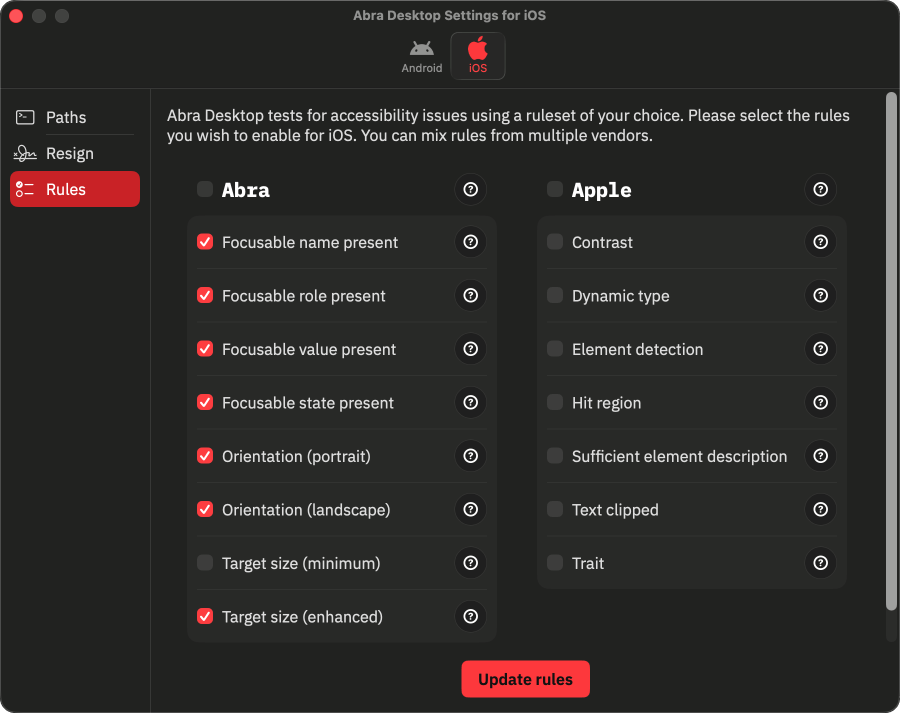
Today, we're introducing four new rules in Abra Desktop and Abra SDK that detect name, role, state and value issues automatically.
The rules are available for Android and iOS, supporting apps built with any framework, including SwiftUI, Jetpack Compose, Flutter, React Native and .NET MAUI.
Name, role, state and value issues
Here are some examples of what can go wrong when these properties are missing.
Name: An icon-only button representing an "Edit" action has no name defined in the code. TalkBack announces only "Button", giving users no indication of what this button does.
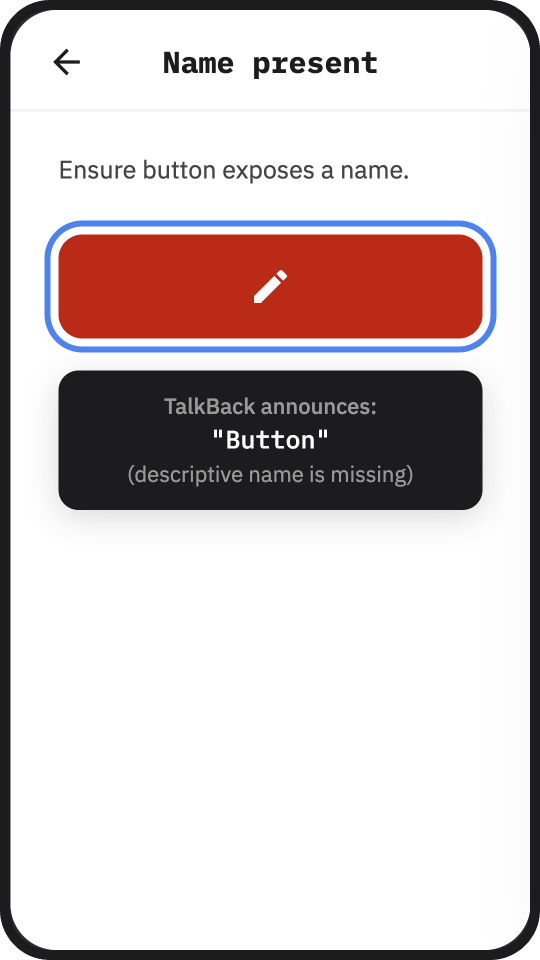 ➔ The Focusable element name present rule automatically detects name related issues.
Role: A custom view is used as a delete button, but the role is not programmatically exposed. Even though the element looks and behaves like a button, VoiceOver does not announce the button role. Users may not understand that they can interact with this element.
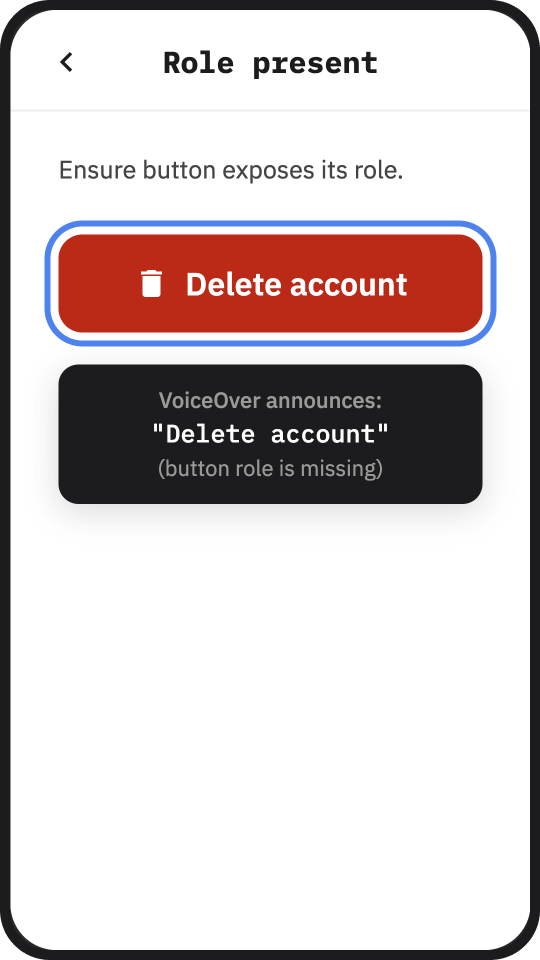 ➔ The Focusable element role present rule automatically detects role related issues.
State: A checkbox is visually shown as selected, but its state is not programmatically exposed. TalkBack does announce the name and role, but not whether it is checked or unchecked. Without the correct state, users may receive misleading information about the element.
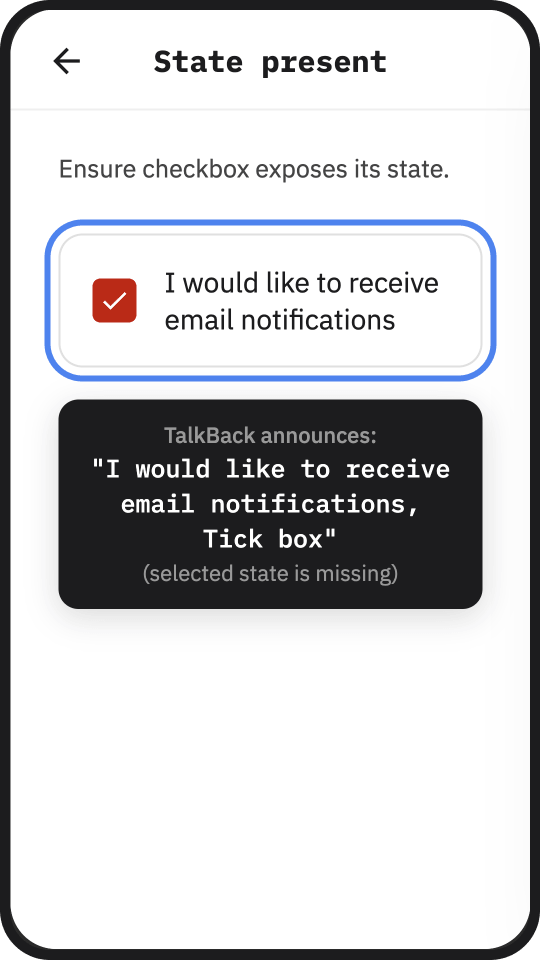 ➔ The Focusable element state present rule automatically detects state related issues.
Value: A slider is adjusted to 60%, but the value is not programmatically exposed. VoiceOver announces the name ("Brightness") and role ("Adjustable"), but not the current setting. Users have no information about which value the slider is set to.
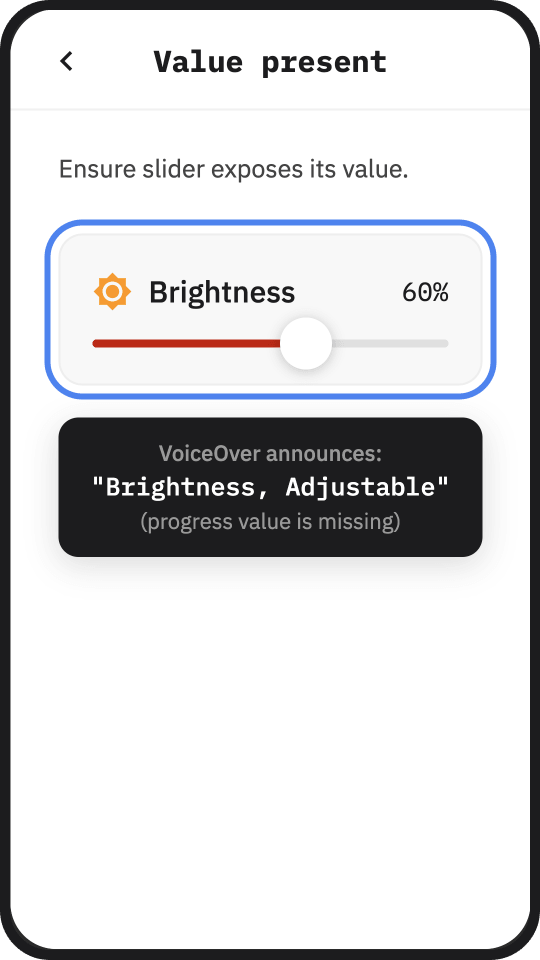 ➔ The Focusable element value present rule automatically detects value related issues.
How the checks work
Manually testing these properties means navigating through the app with assistive technologies like screen readers, voice control, and switch access. It's time-consuming, and the results depend on the tester's ability to interpret the output.
A screen reader announcement can even sound correct when the underlying properties are wrong. Developers can use workarounds that produce the right announcement while using the wrong accessibility attributes. A manual tester would never catch this.
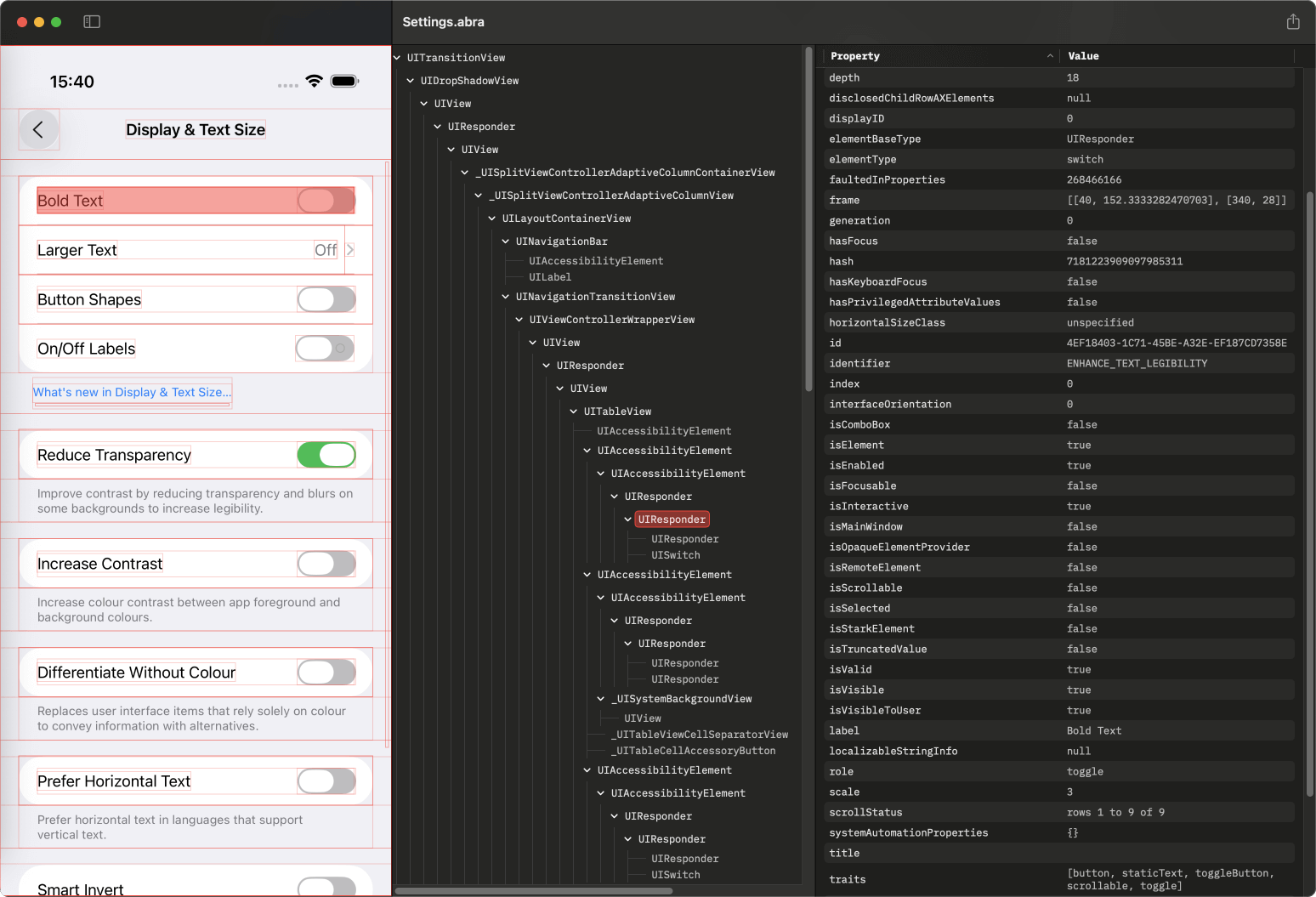
Abra eliminates this guesswork. Instead of relying on screen reader output, Abra extracts information directly from the accessibility layer of the Android and iOS operating system.
You see precisely what is missing and why — with a level of accuracy and consistency that manual testing cannot achieve.
 Get started with Abra
Want to test your own app? Contact us to start a free trial or schedule a demo. In the demo we will show you what issues Abra finds in your app.
Further reading
-
The European Accessibility Act: what businesses and app developers need to know
The European accessibility act (EAA) is European-wide legislation designed to ensure digital products and services are accessible to everyone, including people with disabilities. Unlike earlier accessibility directives targeting public sector organisations, the EAA specifically addresses commercial organisations. The EAA applies to products and services. Read more »
-
Practical guide to mobile accessibility testing
If you are a developer, designer, tester, auditor or any other professional already working on accessibility but unsure how to approach mobile accessibility testing by hand, this guide is for you. Read more »