

Abra releases Abra SDK
Accessibility shouldn't be an afterthought. It should be part of every build, every test run, every pull request. That's why we're bringing the same test engine that powers Abra Desktop directly into your automated testing pipeline. The Abra SDK is a native SDK for Android and iOS that lets you run accessibility checks right from your existing tests.
Seamless integration
The Abra SDK is built natively for each platform. Swift on iOS, Kotlin on Android. No wrappers, no bridges, no runtime surprises. Add the dependency, invoke Abra's test engine, and you're up and running.
It integrates with multiple native mobile testing frameworks:
Espresso and UiAutomator on Android
XCUITest on iOS
Using a different testing framework? Let us know.
Because the SDK hooks into the accessibility layer, it can test any app regardless of how it was built. SwiftUI, Jetpack Compose, Flutter, React Native, .NET MAUI, we have got you covered.
Tests run on real devices or emulators, locally or in CI/CD. Results flow back to your IDE and, optionally, to the Abra Dashboard to track issues over time.
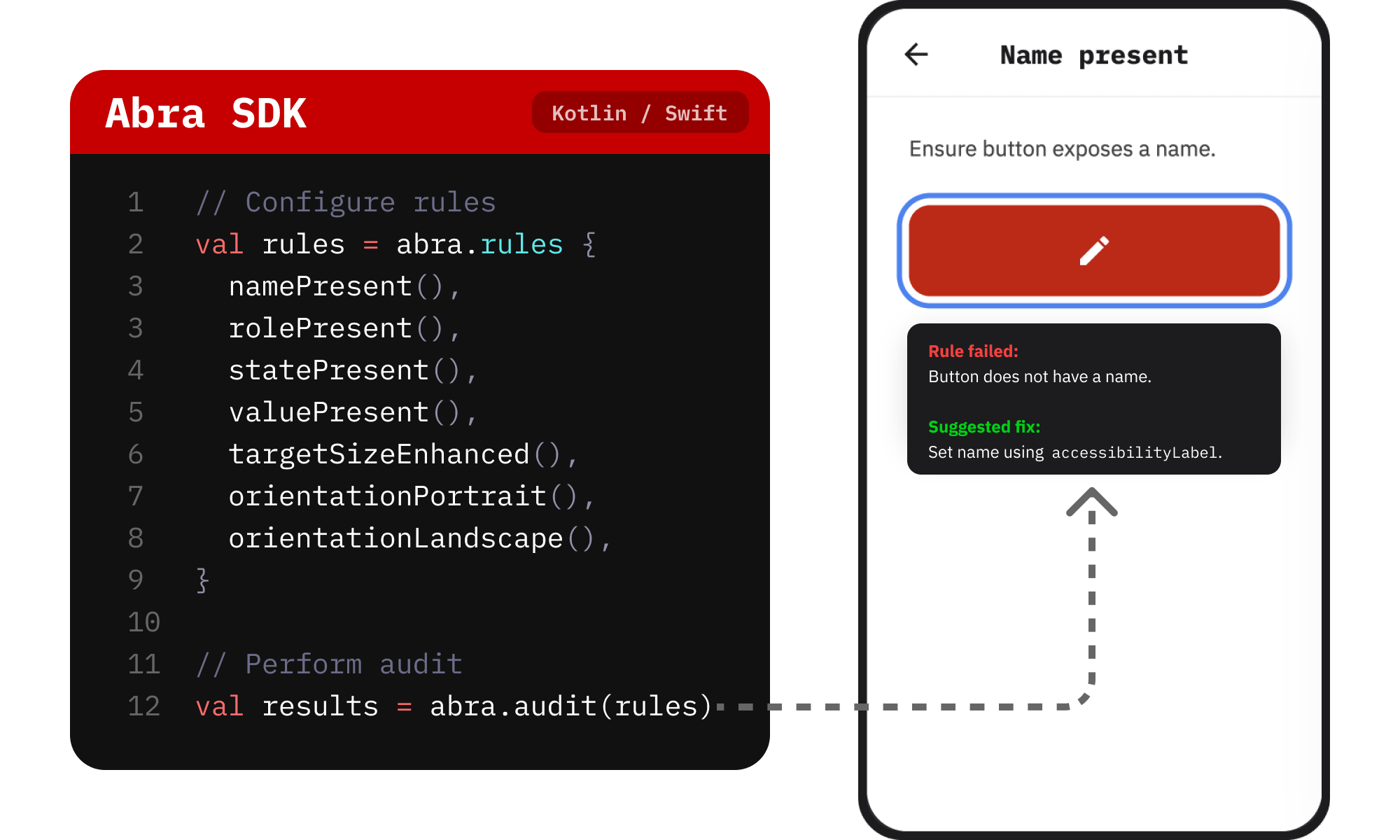 Testing rules
The Abra SDK uses the full power of the Abra Test Engine. It can find accessibility issues such as:
Focusable element name present (Android + iOS)
Focusable element name correct (Android + iOS)
Focusable element role present (Android + iOS)
Focusable element role correct (Android + iOS)
Focusable element state present (Android + iOS)
Focusable element state correct (Android + iOS)
Focusable element value present (Android + iOS)
Focusable element value correct (Android + iOS)
Language of the app present (Android + iOS)
Target size (minimum) (Android + iOS)
Target size (enhanced) (Android + iOS)
Content can be viewed in portrait orientation (Android + iOS)
Content can be viewed in landscape orientation (Android + iOS)
Furthermore, the SDK includes 7 rules created by Apple on iOS, and 14 rules created by Google on Android.
For more information, check out the Abra Android SDK docs and Abra iOS SDK docs.
Why Abra SDK?
Native and mobile-first. Not a web tool repurposed for mobile. Every rule is designed for native apps.
Enterprise-ready. Scales across real devices, emulators and CI/CD pipelines.
Knowledge-driven. Built on Abra's accessibility expertise, aligned with WCAG.
Connected ecosystem. Use the SDK on its own, or combine it with Abra Dashboard and Abra Desktop for a complete workflow.
Start testing today
Add the Abra SDK to your project, run your first accessibility check, and start catching issues. Your users will thank you, and your compliance teams will too.
Ready to get started? Send an email to sdk@abra.ai to get a free trial license.
Want to learn more? Schedule a demo.
Further reading
-
Abra automated rules for accessible name, role, value and state
We have added 4 new automated rules to Abra Desktop and the Abra SDK: Read more »
-
Capture Android and iOS accessibility hierarchy using Abra snapshots
Browser DevTools make web accessibility inspection easy. Chrome, Firefox, and Safari all let you inspect the accessibility tree of any website. With mobile apps, we don't have that luxury. Read more »
-
Introducing semi-automated testing in Abra: combine smart automation with expert knowledge
At Abra, we believe real progress comes from combining smart automation with in-depth knowledge. That’s why we’ve introduced a powerful new feature in our desktop tool and dashboard: semi-automated testing. Read more »