

5 lessons organisations learned since the European Accessibility Act became enforceable
On 28 June 2025, the European Accessibility Act (EAA) became enforceable across the European Union.
Since then, organisations have audited products, published accessibility statements, fixed issues, and started integrating accessibility into their development processes.
At Abra, we work with organisations across Europe on the accessibility of mobile apps. These are the five most important lessons we have learned.
1. Compliance is not an accessibility audit
One of the biggest misconceptions about the EAA is that compliance starts and ends with an audit.
Audits are important. They identify issues and help organisations understand their current level of accessibility.
But an audit alone does not make an organisation compliant.
Accessibility is an ongoing responsibility. Mobile apps evolve continuously through new releases, new features, operating system updates, and changing teams.
The organisations making the most progress are treating accessibility as a process rather than a project.
2. Demonstrating compliance is often harder than achieving it
Many organisations have invested heavily in accessibility improvements.
What often proves more difficult is demonstrating how accessibility is managed.
Questions that repeatedly come up include:
How is accessibility tested?
How often is testing performed?
Who owns accessibility?
How are issues prioritised?
How are accessibility decisions documented?
How can users report accessibility barriers?
The organisations that answer these questions confidently usually have one thing in common: accessibility is embedded in their processes, not just in their products.
3. Accessibility statements matter more than many teams expect
Early on, many organisations treated accessibility statements as a formality.
Today they have become one of the first things users, procurement teams, and supervisory authorities look at.
A good accessibility statement is:
Easy to find
Honest about known limitations
Clear about testing methods
Kept up to date
Clear about how users can report problems
An accessibility statement should reflect reality. It is not a marketing document.
4. Accessible apps are built on four pillars
No single method tells the whole story.
The organisations making the most progress tend to follow the same pattern. They build accessibility on four pillars:
Accessible foundation — design systems and reusable components prevent issues before they are created.
Automated testing — identifies common accessibility issues quickly and consistently throughout development.
Manual testing — validates real user interactions and accessibility requirements that require human judgement.
Shared ownership and expertise — accessibility is embedded across teams, not isolated to a single specialist.
Each pillar strengthens the others.
Issues prevented in design never need to be tested or fixed. Automated testing helps teams scale accessibility. Manual testing provides context and validation. Shared ownership helps accessibility remain part of everyday development rather than a one-time effort.
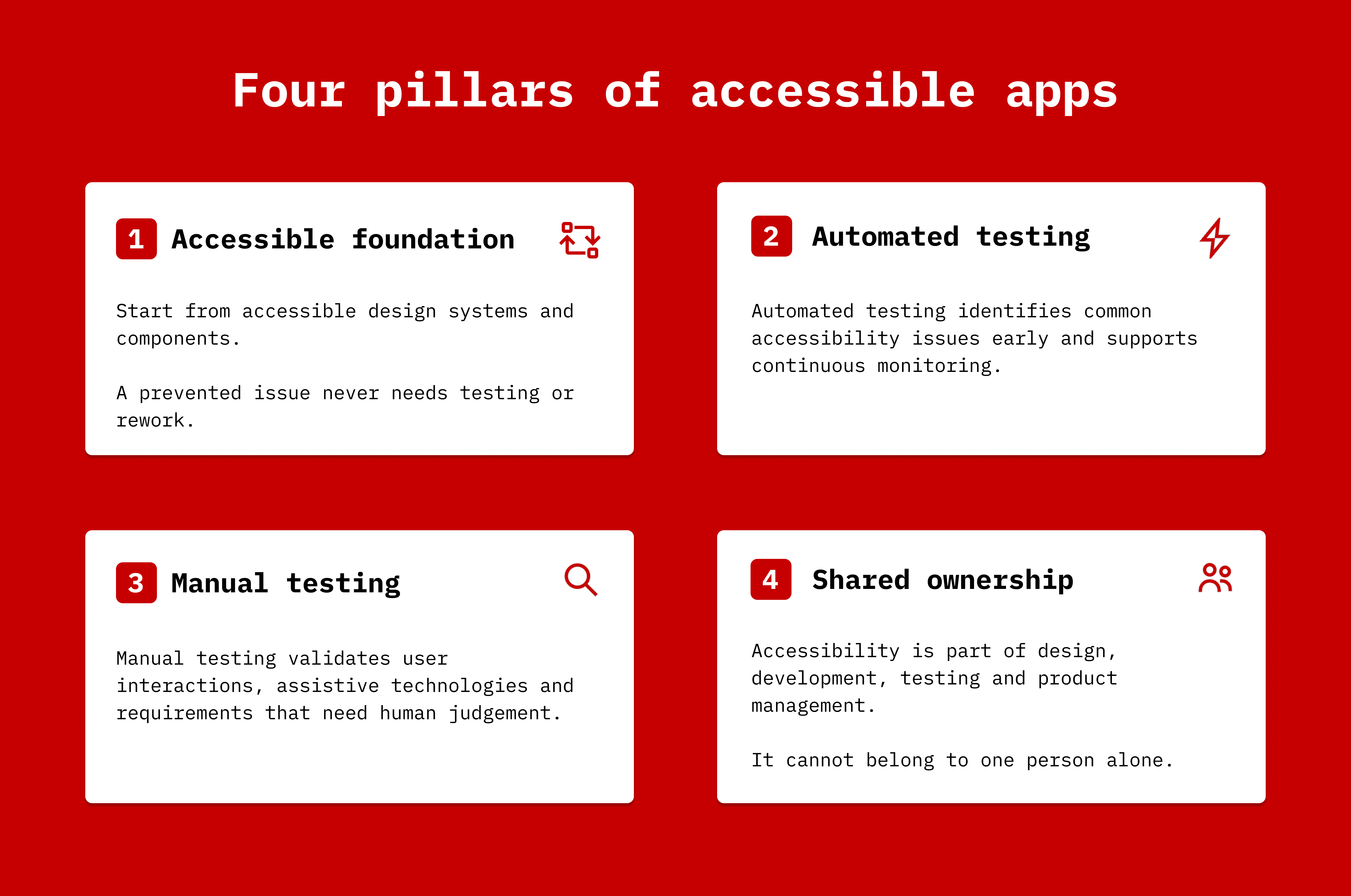
The most successful organisations do not ask which testing method is best. They build a process that continuously supports accessibility as their products evolve.
5. Maturity matters more than perfection
The organisations making the most progress are no longer asking:
Are we compliant?
They are asking:
How do we remain compliant as our app evolves?
No mobile app is perfect.
Supervisory authorities understand that.
What matters is whether an organisation has a credible process for finding, fixing, documenting, and preventing accessibility issues.
The strongest organisations typically have:
Clear ownership
Defined testing processes
Accessibility requirements in design and development
Regular monitoring
Accessibility statements
A process for handling feedback and complaints
Accessibility maturity is ultimately what turns compliance from a one-time effort into a sustainable practice.
What we see next
Accessibility is becoming less about individual audits and more about sustainable processes.
The organisations making the most progress are embedding accessibility into design, development, testing, documentation, and monitoring. That shift is exactly why we built the Abra ecosystem: to help teams make accessibility part of everyday development, not a one-time project.
Want to learn more?
Many of the questions organisations struggle with are not technical.
How do you demonstrate compliance? What does a strong accessibility statement look like? How much testing is enough? And how do you keep accessibility from becoming a one-time project?
We cover these topics in our free live session:
EAA Compliance for Mobile Apps.
The session is aimed at decision makers, product owners, legal and compliance teams, and anyone responsible for digital accessibility.
Further reading
-
The European Accessibility Act: what businesses and app developers need to know
The European accessibility act (EAA) is European-wide legislation designed to ensure digital products and services are accessible to everyone, including people with disabilities. Unlike earlier accessibility directives targeting public sector organisations, the EAA specifically addresses commercial organisations. The EAA applies to products and services. Read more »
-
Why accessibility must shift left in mobile development
Accessibility in mobile apps is gradually moving from a niche consideration to a structural requirement. With legislation such as the European Accessibility Act, expectations placed on organisations are changing. Accessibility is no longer only about brand values or corporate responsibility. It is increasingly becoming a legal and organisational obligation. Read more »
-
EAA compliance: how to write an Accessibility Statement for your app
The European Accessibility Act (EAA) is EU-wide legislation designed to make digital products and services accessible to everyone, including people with disabilities. If you provide digital products or services through a mobile app, you need processes and documentation that demonstrate how accessibility is managed and maintained. You can do this with an Accessibility Statement. Read more »