

PDF report generation in Abra Dashboard
Mobile accessibility audits take time. They require expertise, focus, and attention to detail. But finding accessibility issues is only part of the job. In practice, the most inefficient and time-consuming part of an audit is often something else: reporting.
Once an issue is found, the real work starts. You need to document where the issue occurs, on which screen, and in which context. You need screenshots and a clear explanation of what is wrong and why it matters. And you need to present this information in a way that developers and other stakeholders can actually work with.
If that information is incomplete or unclear, fixes slow down. Issues are misunderstood, implemented incorrectly, or sent back with questions. Reporting quickly becomes a bottleneck.
Why reporting accessibility issues is so hard
Good accessibility reporting needs to serve multiple audiences. Clients want a clear overview of findings and conclusions. Developers need concrete, actionable information: what is wrong, where it happens, and how it can be fixed.
In many workflows, this still means manually creating tickets or reports, copying screenshots, writing descriptions, and linking guidelines by hand. Context is easily lost, consistency is hard to maintain, and reporting takes takes more time than the testing itself.
At the same time, teams increasingly combine automated and manual testing. Without a central place to bring results together, findings end up scattered across tools and documents.
From testing to understanding in one report
Based on our experience with accessibility audits, we saw a clear need for better reporting. Not just exporting results, but creating reports that are easy to understand and actually support fixing issues.
That is why we introduced PDF report generation in Abra Dashboard.
With this feature, reporting becomes a natural part of the testing workflow. In addition to the issues themselves, you can include project information, testing methodology, devices used, auditor context, conclusions, and overall approach. You decide what to include. If a section is not relevant, it simply does not appear in the report.
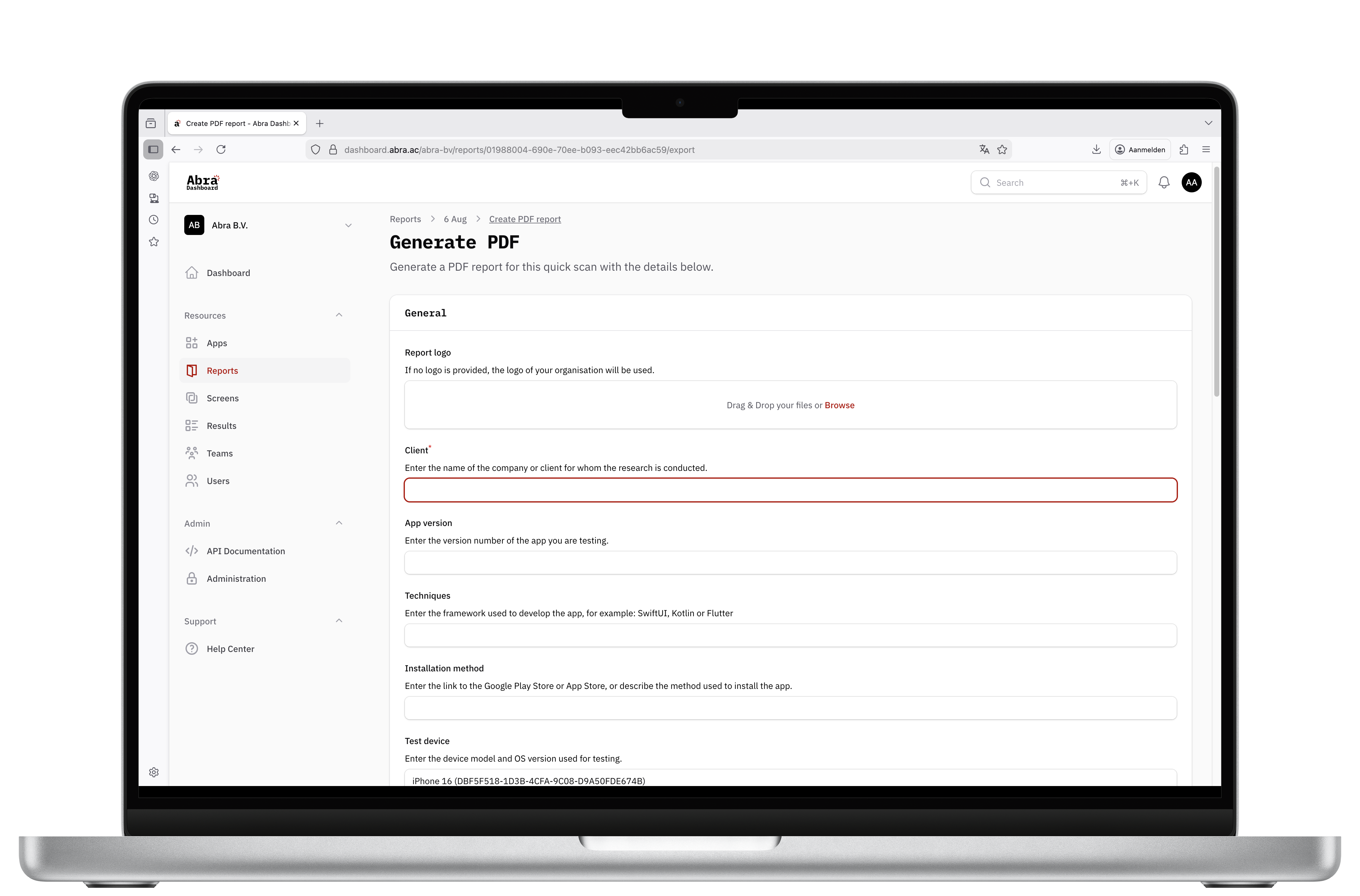 Test results are collected and presented in a structured way, organised per screen. Each issue includes a screenshot, a clear description, and the necessary context, without manual formatting or copy-paste work.
Built for auditors, developers, testers and clients
Every issue in the PDF report links directly to the relevant Abra Documentation. This connects reporting directly to understanding and fixing issues.
In the documentation, each rule includes a clear description of the issue and its impact on users, known exceptions, related rules, examples, and common failures. Where applicable, it also shows whether the issue can be detected automatically, provides scripts for manual testing, and includes concrete solutions with code examples.
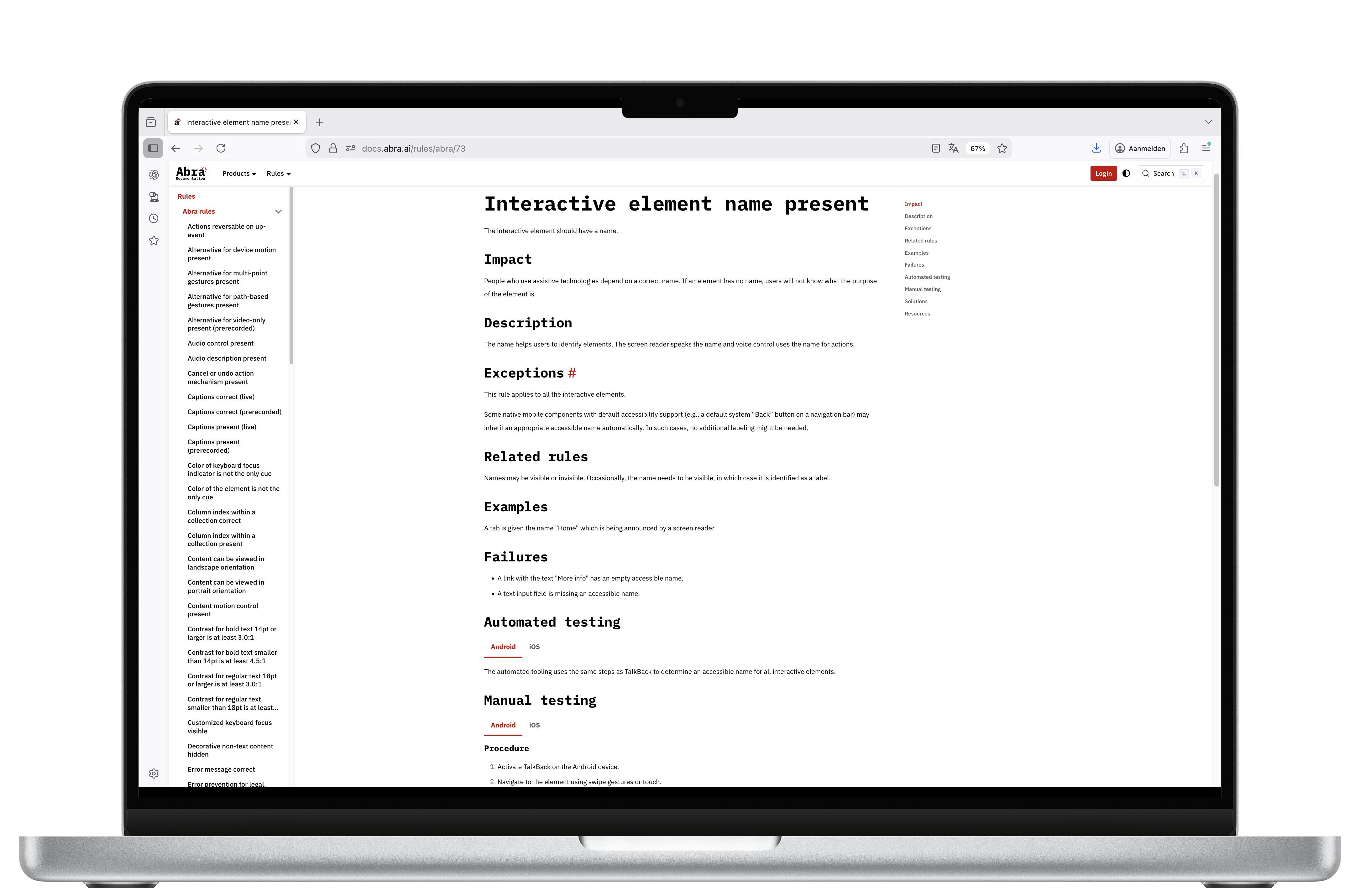 This means a single report does more than list problems. It gives teams the information they need to fix issues correctly and confidently.
In one report, you bring together what is wrong, where it happens, what it looks like, and how to fix it.
How to generate a PDF report in Abra
When you use Abra, all your accessibility tests are automatically organised into reports.
In the Abra Dashboard, you can open a report and choose export results. From there, you can download a CSV file or generate a PDF report.
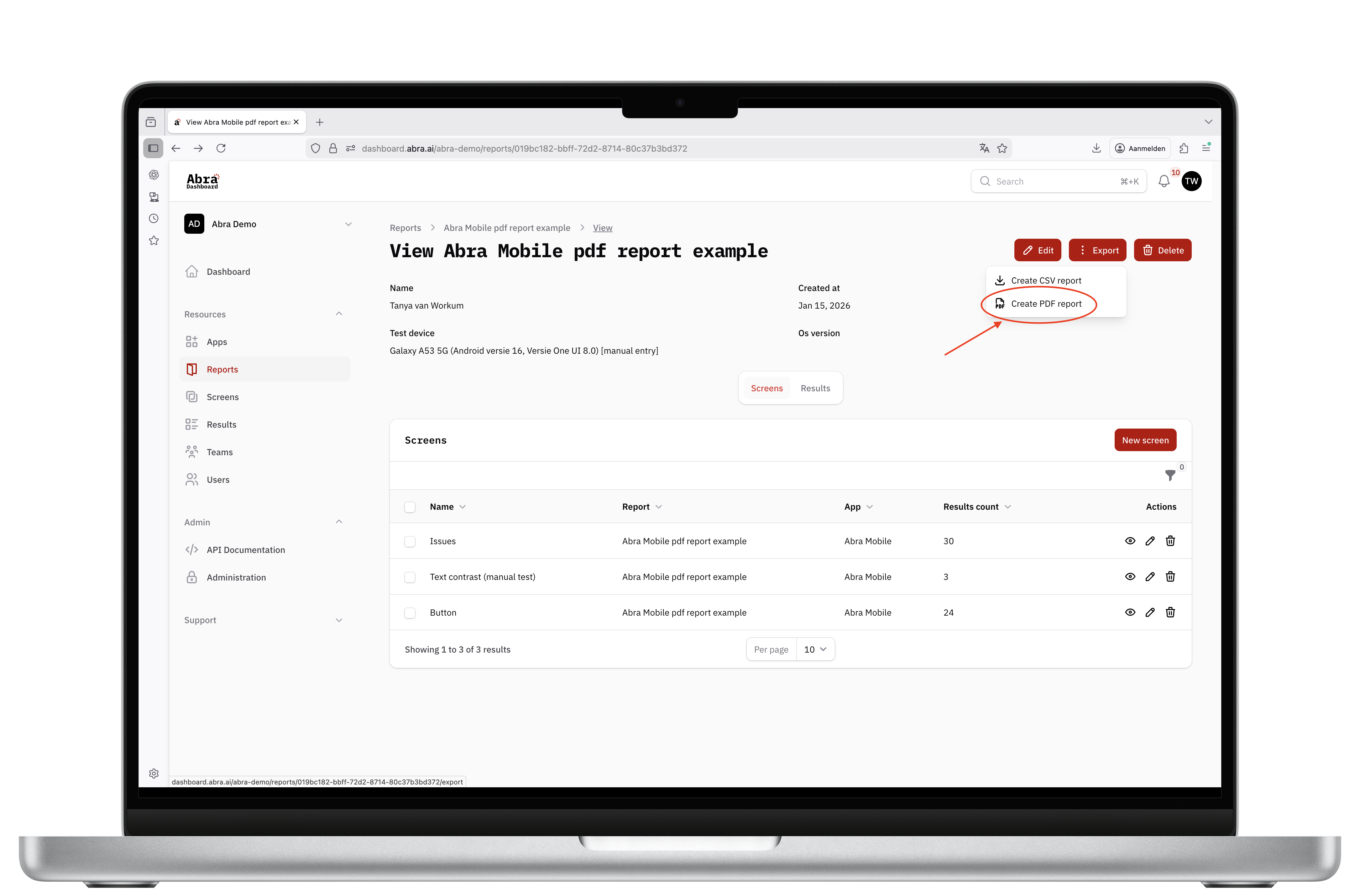 When you select PDF generation, a new window opens where you pre-fill the information that should appear in the report, such as project details, testing methodology, conclusions, and context. You can also choose whether the report is a draft or a final version.
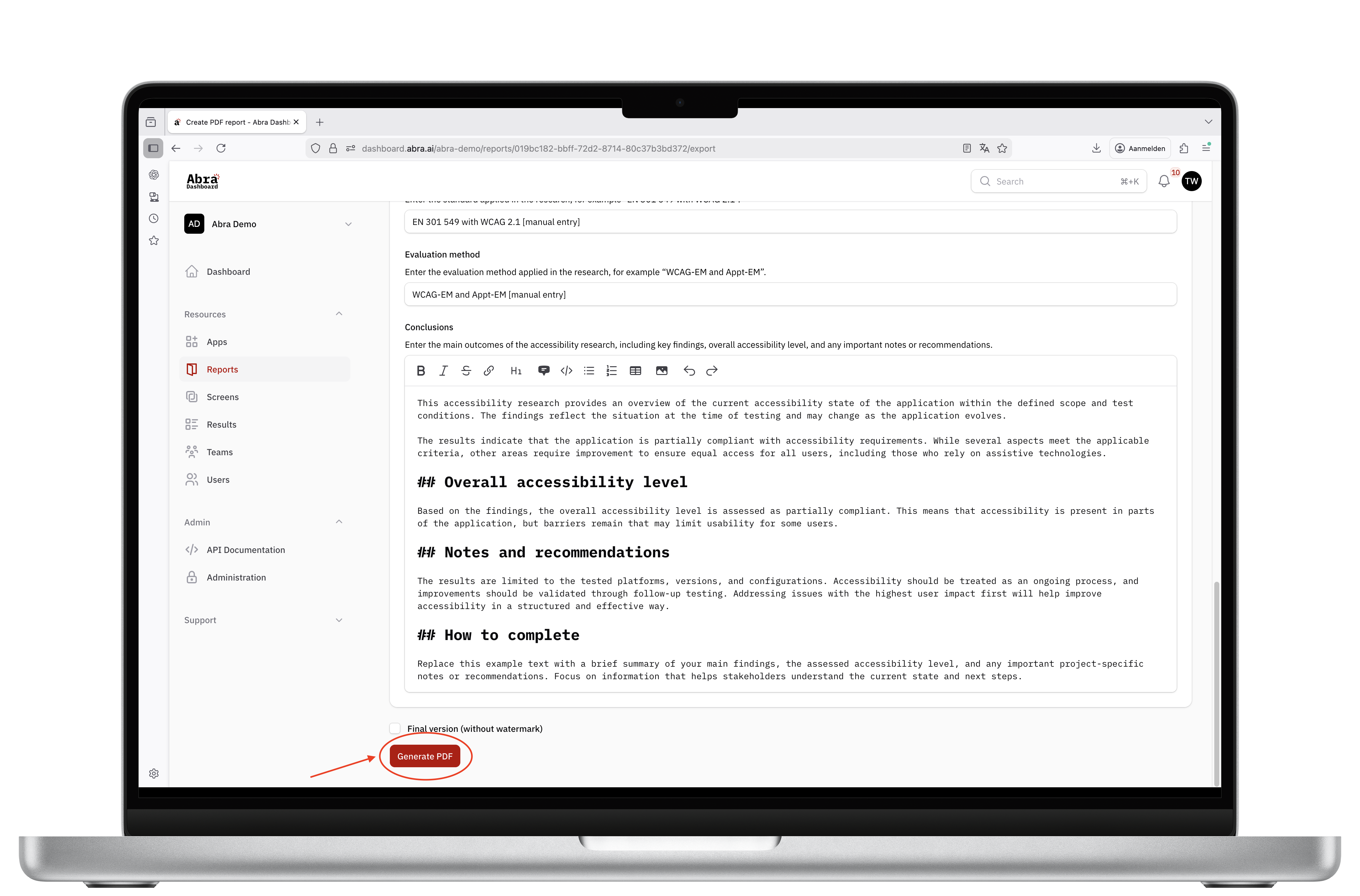 Once confirmed, an accessible PDF report is generated automatically.
The result is a ready-to-share report that combines findings, screenshots & context in one consistent document.
If you would like to see what the output looks like, you can download a sample PDF report.
Clear findings. Clear reports. Better fixes.
Reporting should support progress, not slow it down. With PDF report generation in the Abra Dashboard, accessibility findings become easier to understand, easier to share, and easier to act on.
Curious how this fits your workflow? Contact us for a trial account or a short demo.
Further reading
-
Abra Personal Account
At Abra, we work with large organisations every day. Banks, governments, enterprises with multiple teams and complex apps. But accessibility is not something that should live only inside big organisations. Read more »
-
Capture Android and iOS accessibility hierarchy using Abra snapshots
Browser DevTools make web accessibility inspection easy. Chrome, Firefox, and Safari all let you inspect the accessibility tree of any website. With mobile apps, we don't have that luxury. Read more »
-
Abra automated rules for accessible name, role, value and state
We have added 4 new automated rules to Abra Desktop and the Abra SDK: Read more »